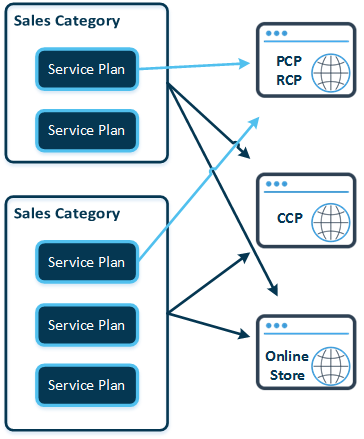
The final step in the configuration of an offer is related to the online store.
After a service plan is configured, it should be published, that is, added to any of the sales categories. Sales categories are used for grouping service plans in the online store and customer control panel. (Service plans can also be sold directly via PCP/RCP.) Until the service plan is added to a corresponding sales category, it is not displayed in the store. One service plan can be included in several sales categories.
The next step is to configure the online store's connection settings. After that, do not forget to synchronize the store, that is, to synchronize the service plan that you just configured with the online store's screens.
You can find detailed information regarding the online store configuration and management in the Online Store Guide.