Synchronizing Subscription Prices
In CloudBlue, after prices are changed in a plan, subscription prices are updated during synchronization with the plan. But some subscriptions, for example, to Adobe plans, may include complex pricing clauses, like multi-year commitments (3YC), introductory (INTRO) pricing tiers, and strict co-terming rules. When the vendor introduces new clauses, for example, by adding new mandatory tiers, the existing subscriptions must be updated accordingly. Otherwise, a discrepancy between data on CloudBlue and the vendor's side can occur. This can result in errors, blocking critical operations, such as seat addition or order return.
For such subscriptions, it is necessary to use the Price synchronization functionality, which allows existing subscriptions to adopt new structural elements from the catalog, such as missing commitment tiers or price level hints, without breaking the customer's existing price agreements.
Price synchronization overview
When vendor prices are updated or recalculated, Price Manager notifies BSS to verify and align all subscriptions based on the service templates added for synchronization.
In large-scale integrations, price updates can happen in rapid succession, especially across multiple custom price books. To maintain platform stability, the synchronizer employs two key strategies:
-
Batched execution: Instead of processing every individual notification immediately, the system groups multiple update events for the necessary plans within the same tenant account into a single batch.
-
Individual synchronization tasks: each synchronization is performed within a separate tasks.
Adding service templates for price synchronization
Price synchronizer only works for the subscriptions based on the specified list of service templates. If no service templates are specified for price synchronization, the price synchronizer is disabled.
To add a service template, the provider needs to complete the following steps:
-
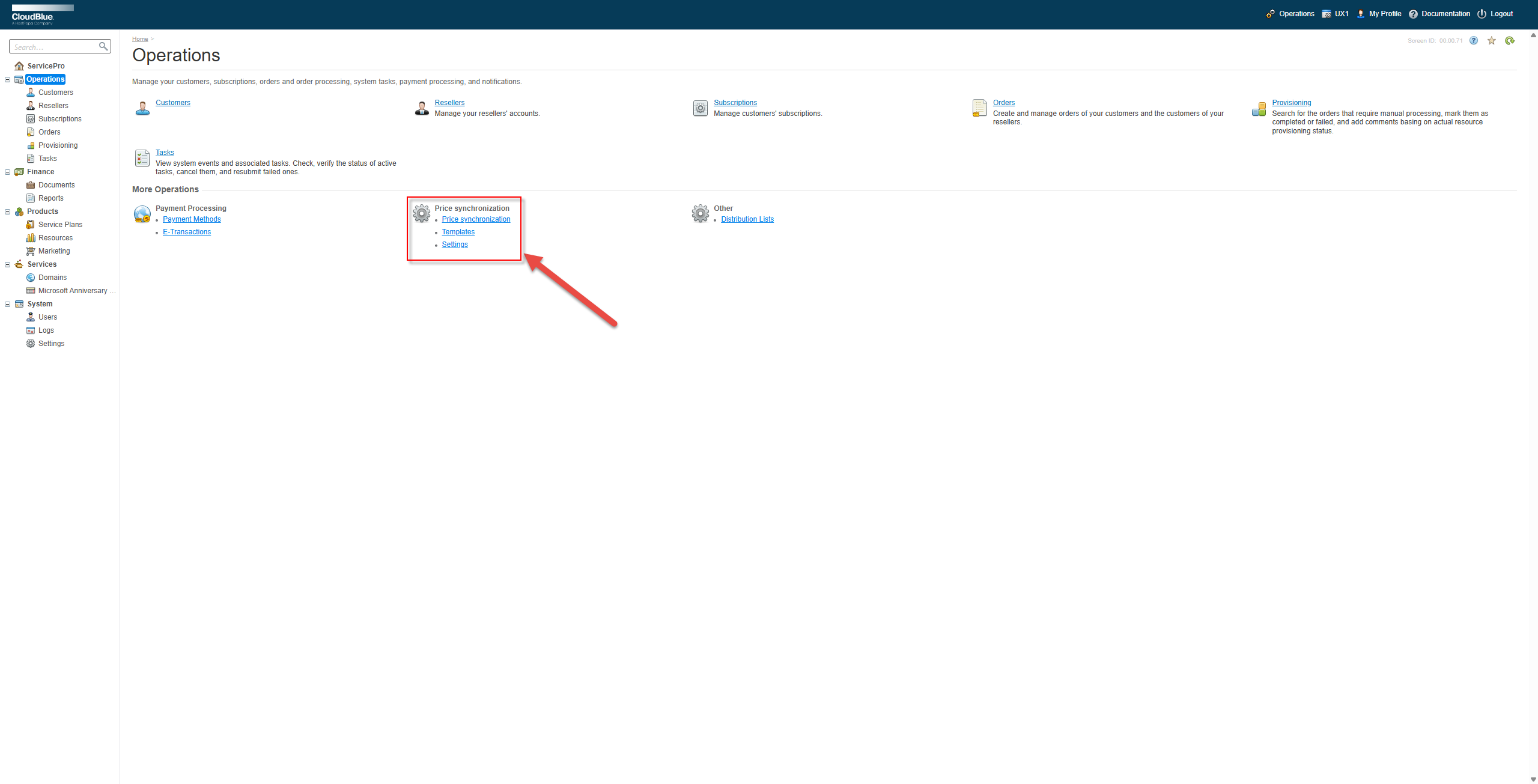
In the classic control panel, switch to Billing and click Operations in the navigation tree.
-
In the Price synchronization section, click Settings.
-
Click Add a service template for price synchronization.
-
Locate the service template and click Save.
After that, price synchronization will be performed for the subscriptions based on the specified service templates.
Configuring price synchronization
Price synchronization has the following parameters that can be adjusted:
-
Retention policy for archivation of tasks (days): How long to keep task records before archiving. Default: 180 days.
-
Minimum Delay for tasks start (sec): The time that the system waits for additional updates before starting a batch. Default: 600 seconds, or 10 minutes.
-
Maximum Delay for tasks start (sec): The time after which synchronization is forced, even if updates are still arriving. Default: 86400 seconds, or 24 hours.