Preface to ConnectWise Integration

Before integrating between Reseller Marketplace and ConnectWise, we recommend you get acquainted with the following terms and procedures.

Steps to Get Started

The following main steps a reseller needs to do to get started with the ConnectWise PSA Integration service:
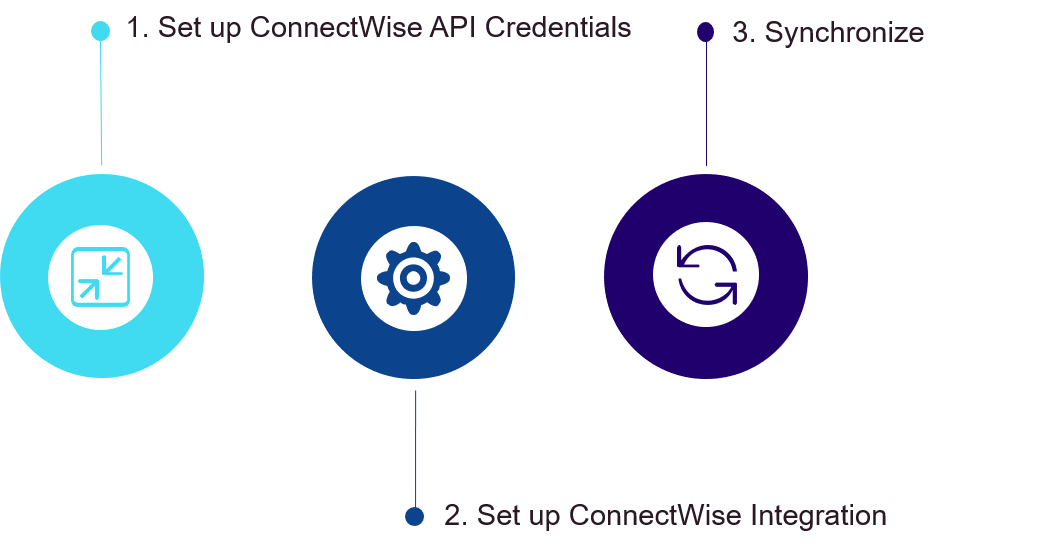
  1. Set up ConnectWise API Credentials: The Reseller Marketplace communicates with ConnectWise through API. Therefore, you need to set up required API credentials using these instructions.

  2. Set up ConnectWise Integration: At this step, you need to log in and integrate ConnectWise with Reseller Marketplace using these instructions.

  3. Synchronize: Now, you need to synchronize orders and subscriptions between Reseller Marketplace and ConnectWise using these instructions.

    Important: Several subscriptions can be synchronized with one agreement; one subscription cannot be synchronized with several agreements.

About Mappings

To ensure that there are no mismatches, and all changes in Reseller Marketplace are synchronized with ConnectWise, the objects in both systems must be mapped. That is, Reseller Marketplace Product Catalog, Customer Catalog, Order and Subscription must be mapped with the respective ConnectWise objects: Product Catalog, Company, and Agreement.
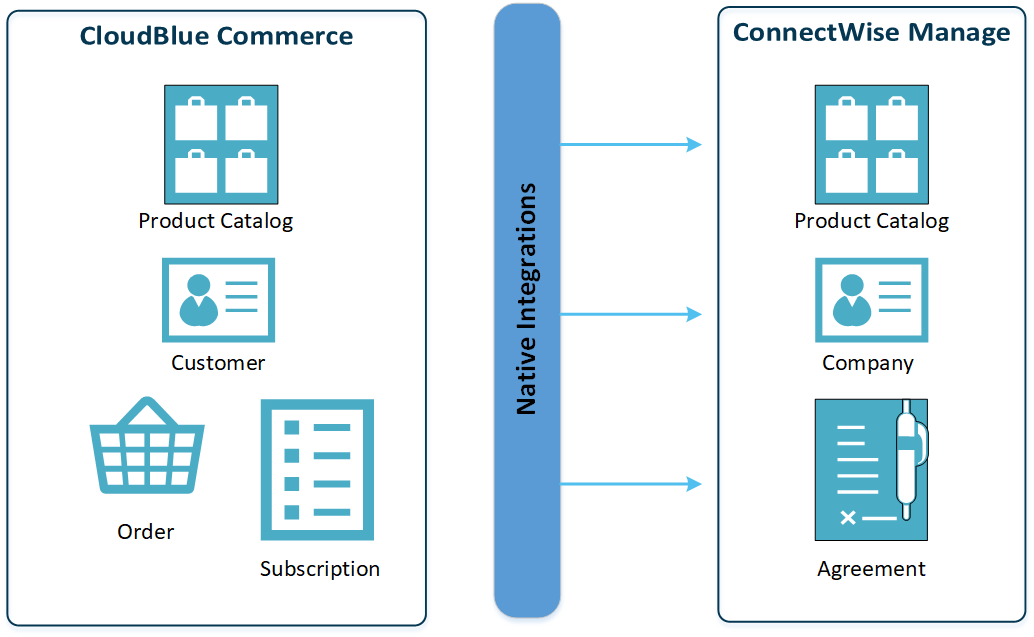
There are three ways to map your customers between Reseller Marketplace and ConnectWise, and two ways to map your products between Reseller Marketplace and ConnectWise. Orders and subscriptions are mapped during the subscription synchronization process.

Note: You can also create a ConnectWise product during the synchronization process.

CloudBlue, an Ingram Micro business, uses cookies to improve the usability of our site. By continuing to use this site and/or logging in you are accepting the use of these cookies. For more information, visit our Privacy Policy.