What's New in Theme Creator
Theme Creator 2.1.166 (Released on November 6, 2026)
Features
-
CBPFR-1063 The Theme creator screen is improved for people who use assistive technologies, such as screen readers and keyboard navigation, following the Web Content Accessibility Guidelines (WCAG) 2.2, level AA.
-
CBPFR-2849 Theme Creator now runs on Java Development Kit (JDK) 17.0.20.1, which includes fixes for memory management in containers that use control groups version 2 (cgroups v2).
Requirements
-
UI and Branding: 21.29 or later
Theme Creator 2.0.158 (Released on September 19, 2026)
Features
-
CBPFR-264 Theme Creator is now built on Vue 3. Previously, it was built on Vue 2, which is no longer supported by its vendor. The Theme Creator interface and functionality remain the same.
Note: Applications migrated to Vue 3 require CloudBlue Commerce version 21.27 or later.
Requirements
-
UI and Branding: 21.29 or later
Theme Creator 1.5.146 (Released on May 9, 2025)
This release contains internal component improvements only.
Requirements
-
UI and Branding: 21.20 or later
Theme Creator 1.4.137 (Released on March 9, 2025)
Features
-
CBPFR-1747 Using the advanced mode of Theme Creator, you can now set border color specifically for each section.
Requirements
-
UI and Branding: 21.20 or later
Theme Creator 1.3.130 (Released on September 19, 2025)
Features
-
CBPFR-1247 Now, providers and resellers can apply skins to a single or multiple brands of their own directly from Theme Creator. Only skins created using Theme Creator version 1.0 or later are supported. To use this feature, a user must be assigned the following privilege: Branding Configuration: View.
Requirements
-
UI and Branding: 21.20 or later
Other microservices required for specific scenarios
To be able to apply skins directly from the Theme Creator, the following component is additionally required:
-
UI and Branding: 21.22 or later.
Theme Creator 1.2.102 (Released on July 7, 2025)
Features
-
CBPFR-1346 When you apply a skin created using Theme Creator, the top bar color is also applied to the classic panels.
Fixes
-
CBTHC-91 The icon and top bar colors from an existing skin were not automatically saved to the new skin created using Theme Creator.
Requirements
-
UI and Branding: 21.20 or later
Theme Creator 1.1.85 (Released on May 22, 2025)
This release contains internal component improvements only.
Requirements
-
UI and Branding: 21.20 or later
Theme Creator 1.0.78 (Released on April 7, 2025)
This is the first release of Theme Creator.
Using Theme Creator, you can create ready-to-use, new-experience compatible themes directly in UX1 to brand the appearance of partners' portals, which you can then apply to the CloudBlue Commerce platform.
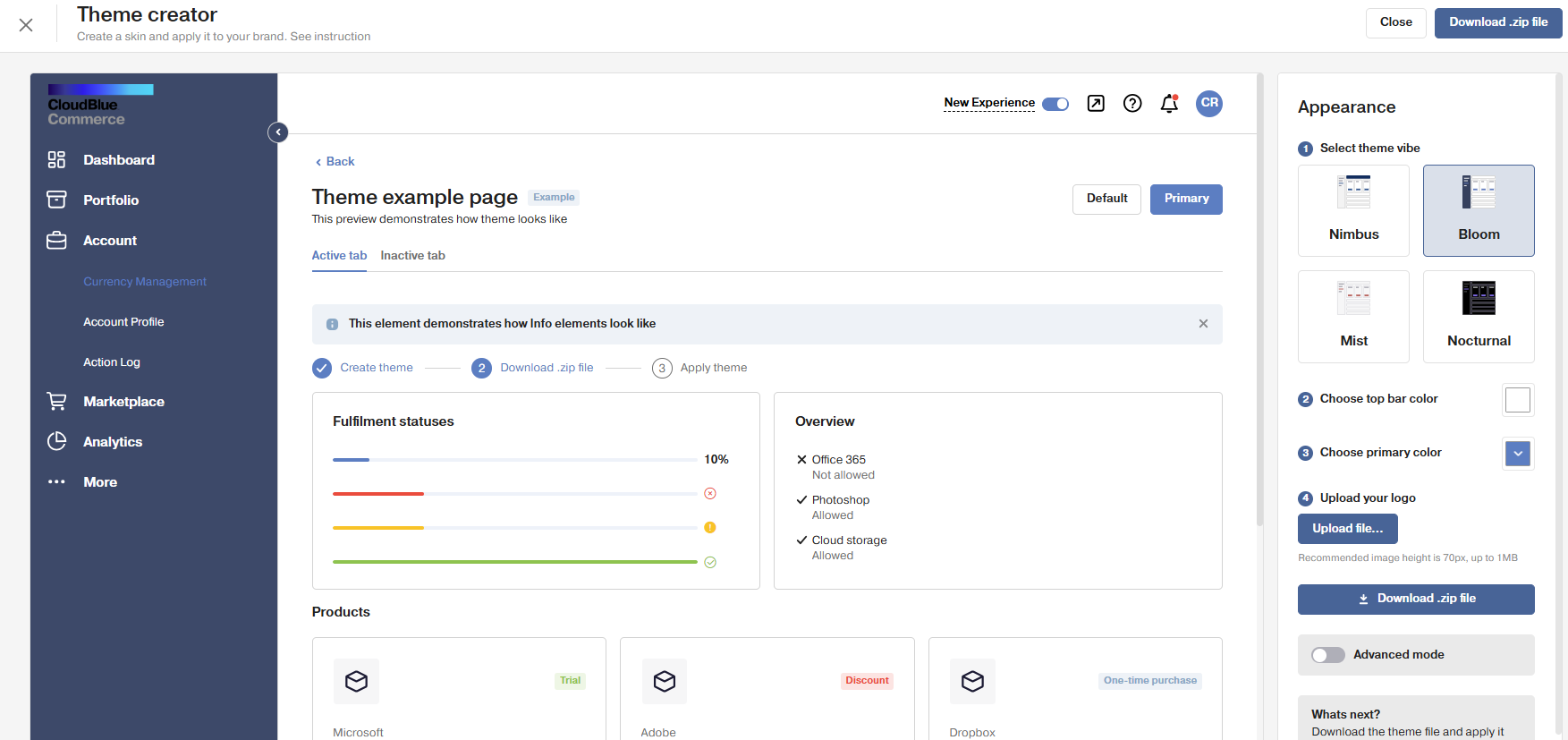
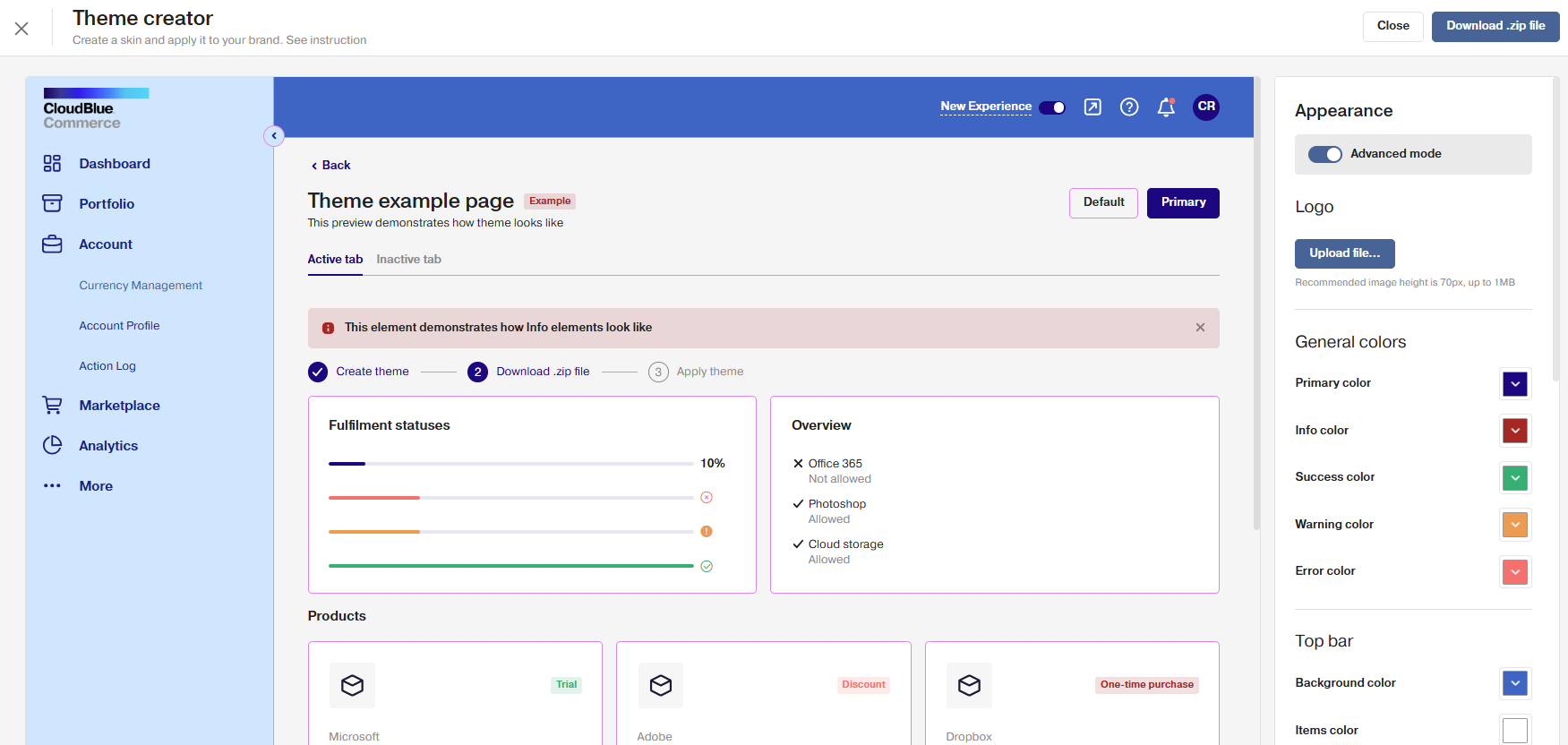
Theme Creator has two modes: basic and advanced.
-
In basic mode, you can create a theme in a few clicks, by choosing theme vibe and main colors.
-
Advanced mode allows you to setup the appearance of every element in the panel and upload a custom font.
Requirements
-
UI and Branding: 21.20 or later