Mid-Term Upgrades
Overview
The Mid-Term Upgrade capability in VIP Marketplace allows partners to upgrade a customer’s product subscription to a higher-tier product (e.g., transitioning from Adobe Teams to Adobe Enterprise) at any point during their current term.
Previously, customers were required to wait until the renewal cycle to modify their subscription level. With this update, partners can initiate upgrades immediately, with balances adjusted automatically for the remainder of the term.
Eligibility and Requirements
To perform a Mid-Term Upgrade, the following conditions must be met:
-
Marketplace Enablement: The functionality must be enabled at the Marketplace level via the
mid_term_switch_availableconfiguration parameter. -
Upgrade Paths: The request must follow valid Adobe switch paths (e.g., Teams to Enterprise).
-
Request Structure: A valid upgrade request must include exactly one upsize (the new product) and one downsize (the original product) within the same change request.
-
Reversal Window: Upgrade reversals (returns) are only permitted within 14 days of the upgrade order.
System Requirements
-
UX1 Subscription Management 6.2.
-
Rating Engine 2.4
-
Order Management 1.28
-
BSS/OSS 21.27
Order Placement Process
-
Navigate to the Change Subscription wizard for the target customer.
-
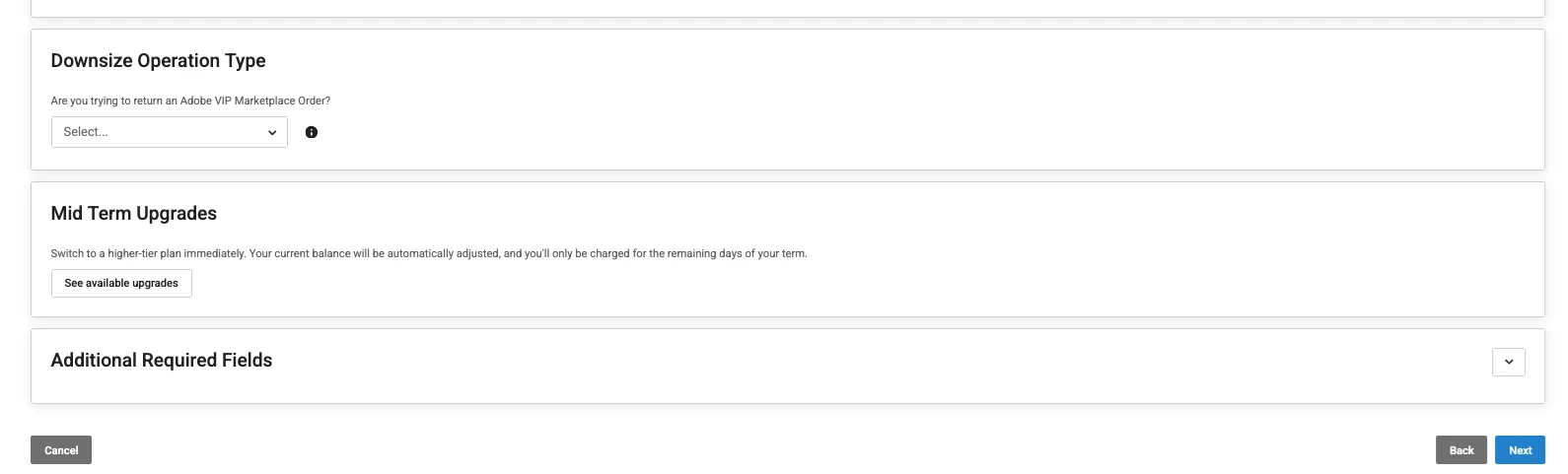
Locate the Mid-Term Upgrades tile.
Note:
- This will only be visible when this feature is enabled on the marketplace via themid_term_switch_availableparameter.
- Flexible discounts can be applied at the time of a mid-term product switch. -
Click See available upgrades to see the valid upgrade paths for the current items.
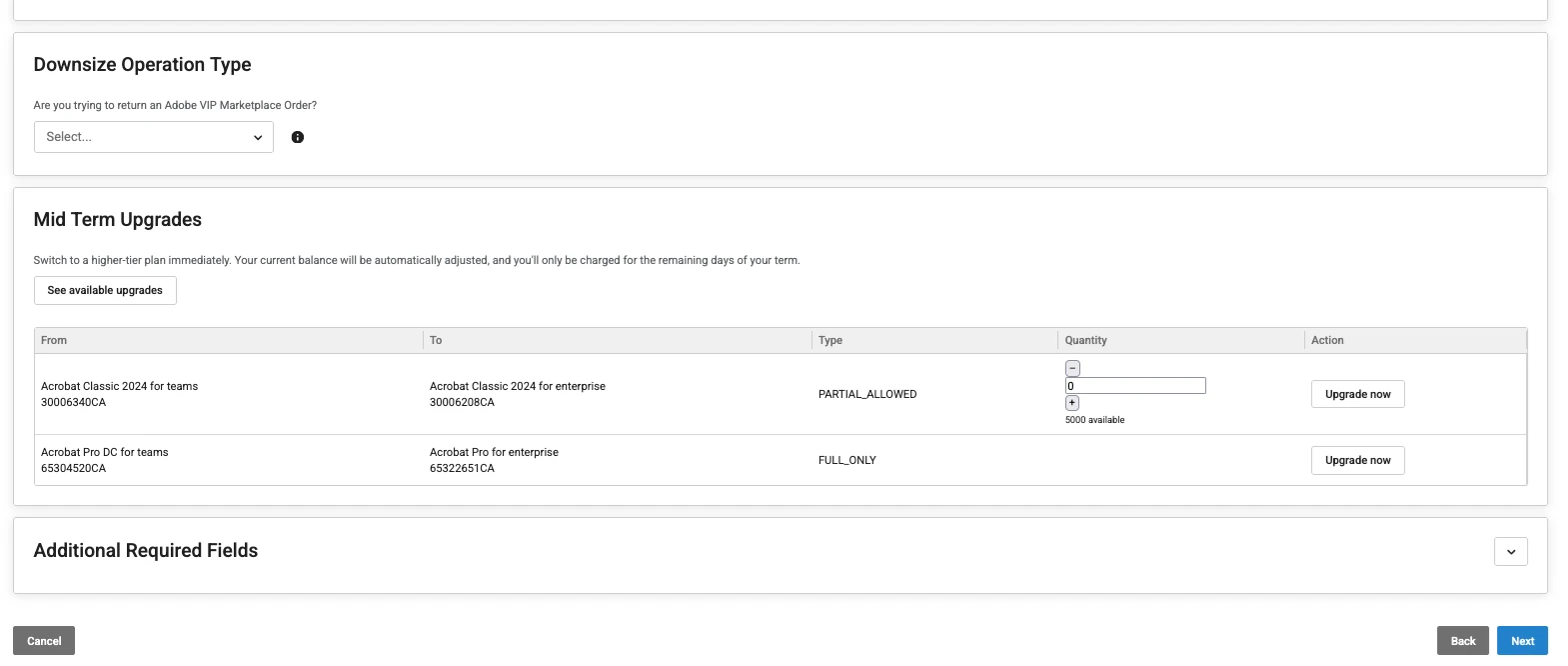
Important: When the Mid-term Upgrades option is used, any items you may have added to the cart previously will be replaced by the items selected for the mid-term upgrade.
-
Review the available upgrades in the table (displaying the current MPN vs. target MPN).
-
If the switch type is
PARTIAL_ALLOWED, enter the desired quantity. However, if the switch type isFULL_ONLY, the quantity is locked to the current subscription total. -
Click Upgrade Now. The wizard will automatically adjust the deltas for both the original and new items and generate a Change Request.
CloudBlue Connect Tracking Parameters
The following parameters are used to manage the logic and visibility of upgrades within CloudBlue Connect.
| ID | Scope | Title | Description | Type |
|---|---|---|---|---|
| mid_term_switch_request | Ordering | Mid Term Switch Request | Used to trigger the search for available switch paths. Returns "DISABLED" if not available. | Single line text (Hidden) |
| mid_term_switch_paths | Ordering | Mid Term Switch Paths | Stores the object containing available upgrade options returned by Adobe. | Object (Hidden) |
| is_mid_term_switch_or_revert | Ordering | Mid term Switch or Switch Revert | Allows customers to indicate if the request is a Mid-term switch or a Mid-term switch revert. | Dropdown (Hidden) |
| mid_term_switch_available | Configuration | Mid Term Update Switch Available | Enables or disables the upgrade capability for the specific Marketplace. Available options: Mid term Update Switch available and Mid-term Update Switch NOT available (Default) | Choice |
Important: Automatic user reassignment is only supported for upgrades between Team licenses. For upgrades from Teams to Enterprise or between different Enterprise subscriptions, users must be reassigned manually.
Related Topics