Introduction
CloudBlue Connect is the first omni-product, multi-channel automation platform that simplifies and unifies your indirect and direct channel operations as well as your procurement. CloudBlue Connect enables efficient business interactions between multiple vendors and multiple distributors in a many-to-many environment. Connect implements four primary business supply chain flows (scenarios) between vendors, resellers and distributors as schematically illustrated below:
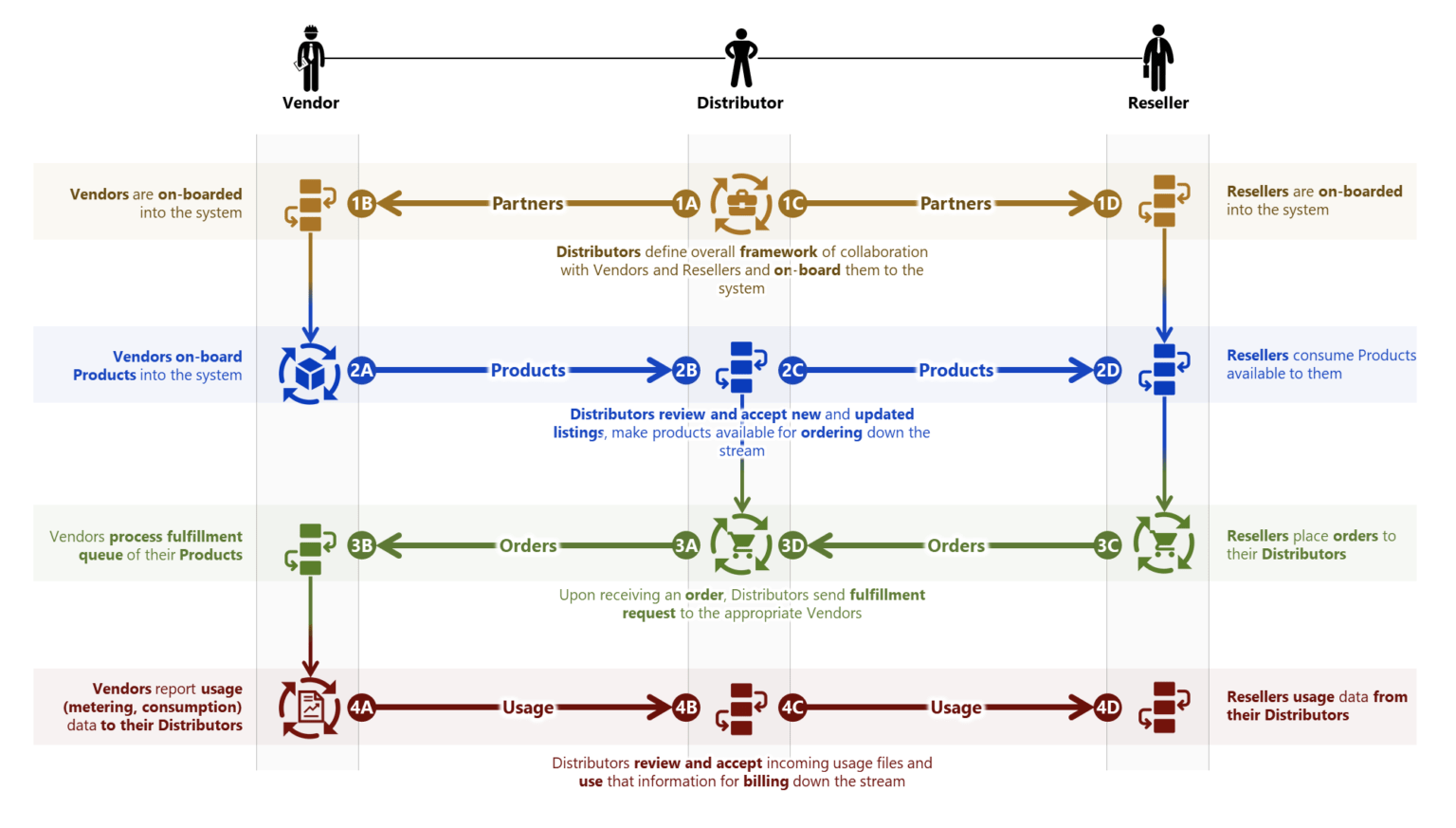
Before starting, it is recommended to visit the CloudBlue Connect Community, where you will find information that will help you become familiar with the CloudBlue Connect terminology, the portals that the platform consists of and the business flows.
This guide has been developed to provide you with the information you need to prepare your environment, complete the vendor enrollment, register and configure the required Azure App service and configure the required parameters in the Distributor Portal.
- CloudBlue Connect Introduction and Terminology
- Preparing your Environment
- Enrollment Process
- Configuring Parameters in the Distributor Portal
- Obtaining a Refresh Token
- Configuring the Vendor Contract ID in CloudBlue Commerce
- Using the Microsoft Extension Service to Configure the GDAP Request Email Template
Important: If you have a syndication agreement, you will only need to read the following chapters in this guide:
- Preparing your Environment
- Enrollment Process (Syndicated enrollment)
- Configuring the Vendor Contract ID in CloudBlue Commerce
The rest of the sections in this guide are not applicable to the syndicated model.