AWS Charges Viewer
The AWS Charges Viewer provides a summary of charges retrieved directly from the AWS Cost and Usage Report (CUR), without any post-processing. The available columns help you identify the account associated with each charge and the corresponding AWS service.
To access the AWS Discount Advisor, follow the steps outlined in this section.
Viewing Usage Lines
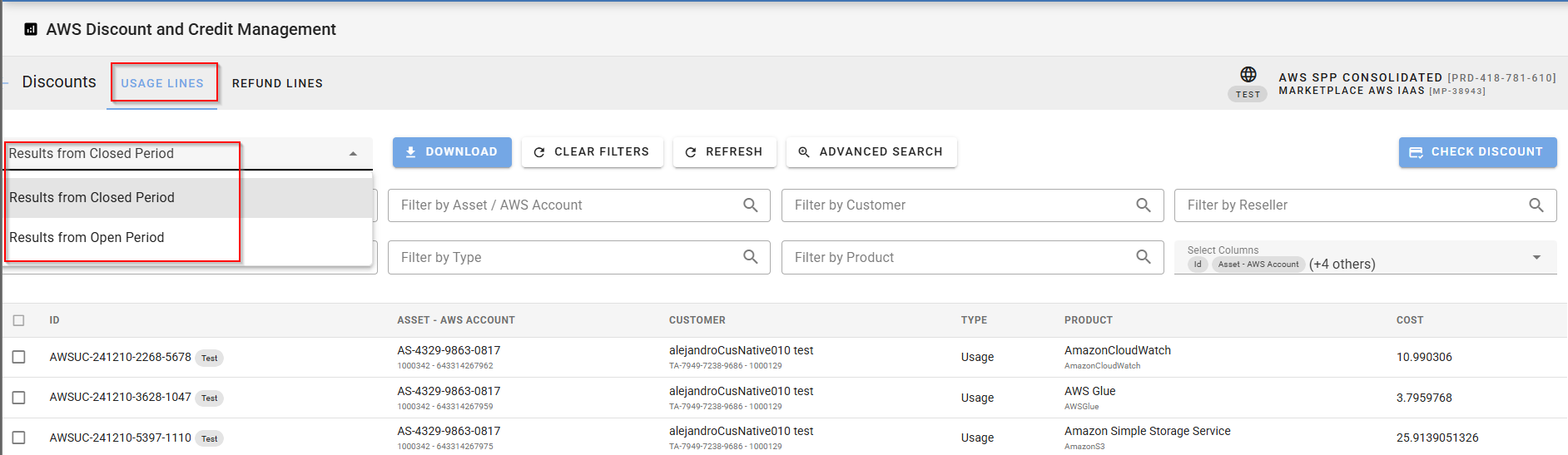
Navigate to the Usage Lines tab to view all charges retrieved from AWS CUR. You can:
-
Filter by billing period: Choose to display charges from either open or closed billing periods.
-
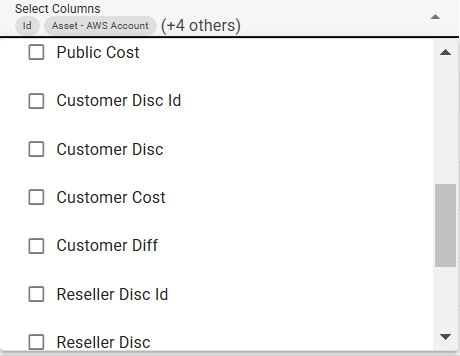
Customize columns: Add more columns via the Select Columns field to display additional details, such as customer and reseller discount IDs.
Filtering Charges
Use the search fields at the top of the page to filter the list of charges. You can search by:
-
Charge ID
-
Invoice ID
-
Product
-
Line item type (as returned by AWS)
-
And more...
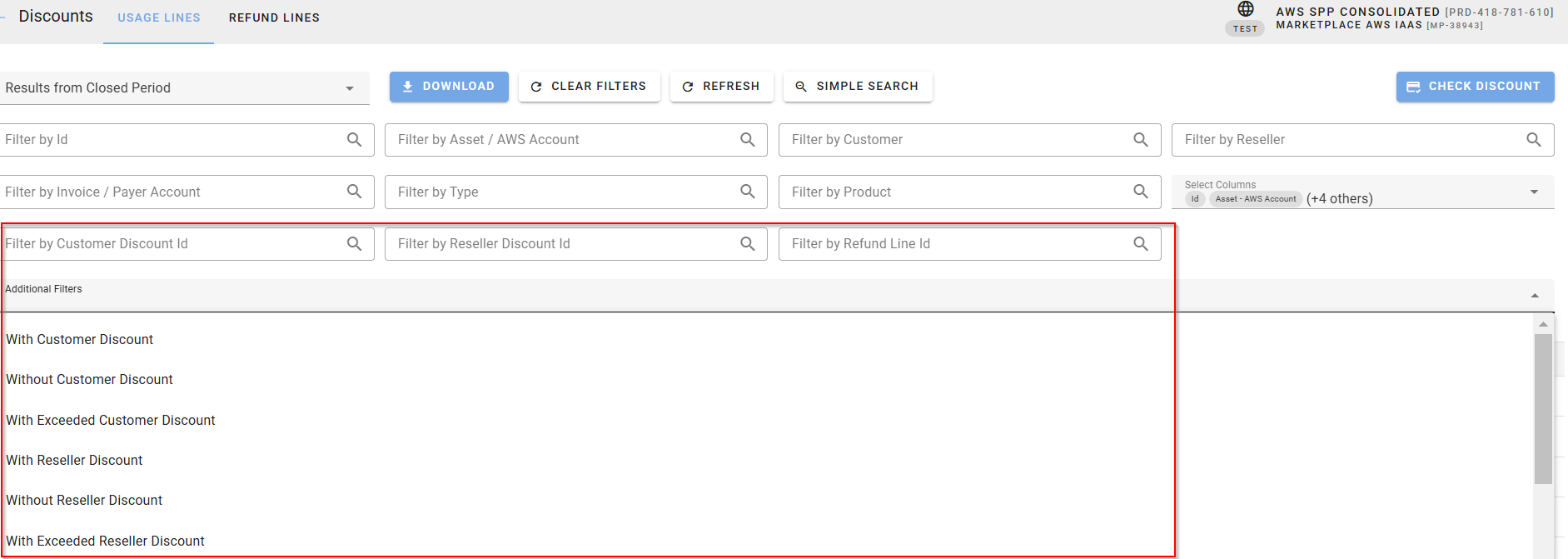
Click the Advanced Search button to access additional filters, including:
-
Customer or reseller discount ID
-
Refund line ID
-
Presence or absence of customer/reseller discounts
-
Whether a discount was exceeded
These filters allow for precise control over the data displayed.
Exporting Data
Optionally, you can download the displayed AWS usage lines as a .csv file by clicking the Download button.