Refund Audits: Checking if Refunds are Removed from Invoices or Passed through to Customers
The refund audits help you verify whether refunds are being removed from the customer's invoice or not. A common practice is to remove all the refunds and instead apply granular discounts. This feature enables you to identify cases where AWS introduces a new refund type that is not excluded from the customer's invoice.
Steps to Audit Refunds
To do this, complete the following steps:
-
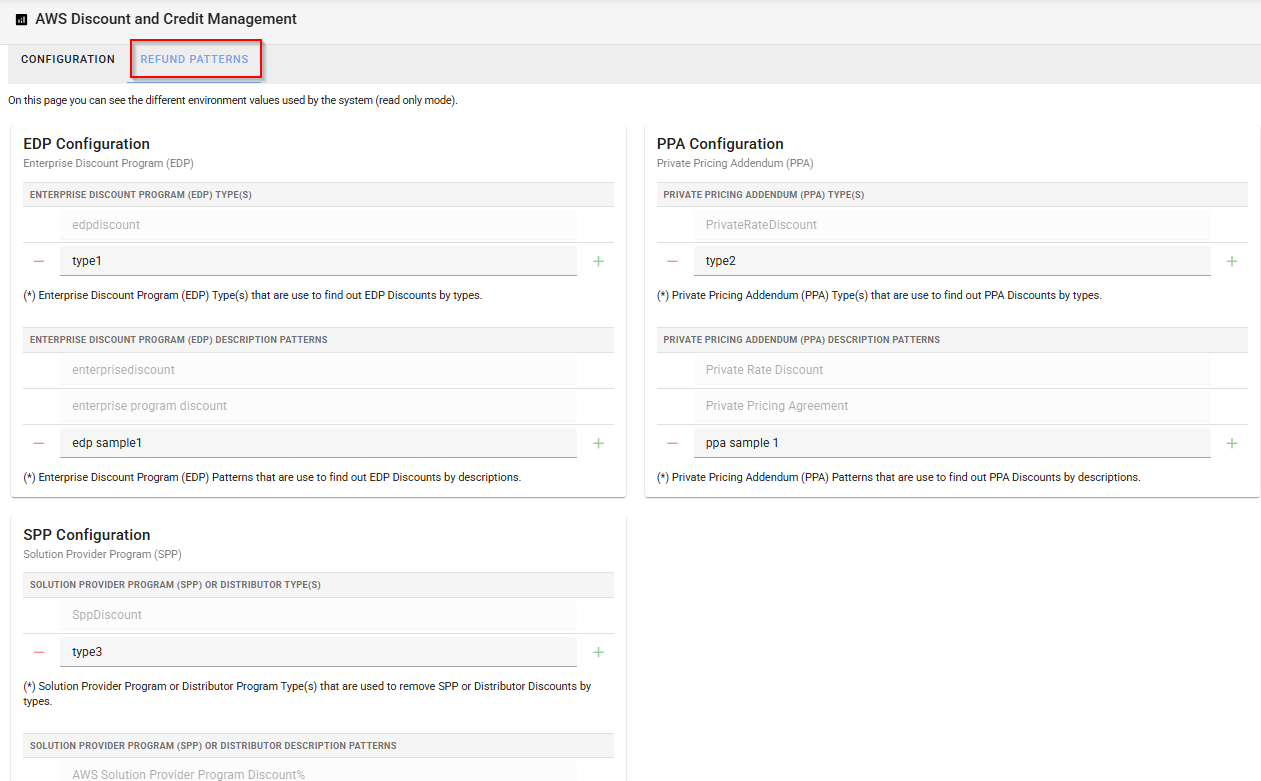
Go to the Config tab in the main view of AWS Discount and Credit Manager, and then click the Refund Patterns tab.
-
Review the discount types and discount patterns configured for EDP, PPA or SPP. You can add new discount types or define discount patterns using regular expressions to detect new or unrecognized refund types.
-
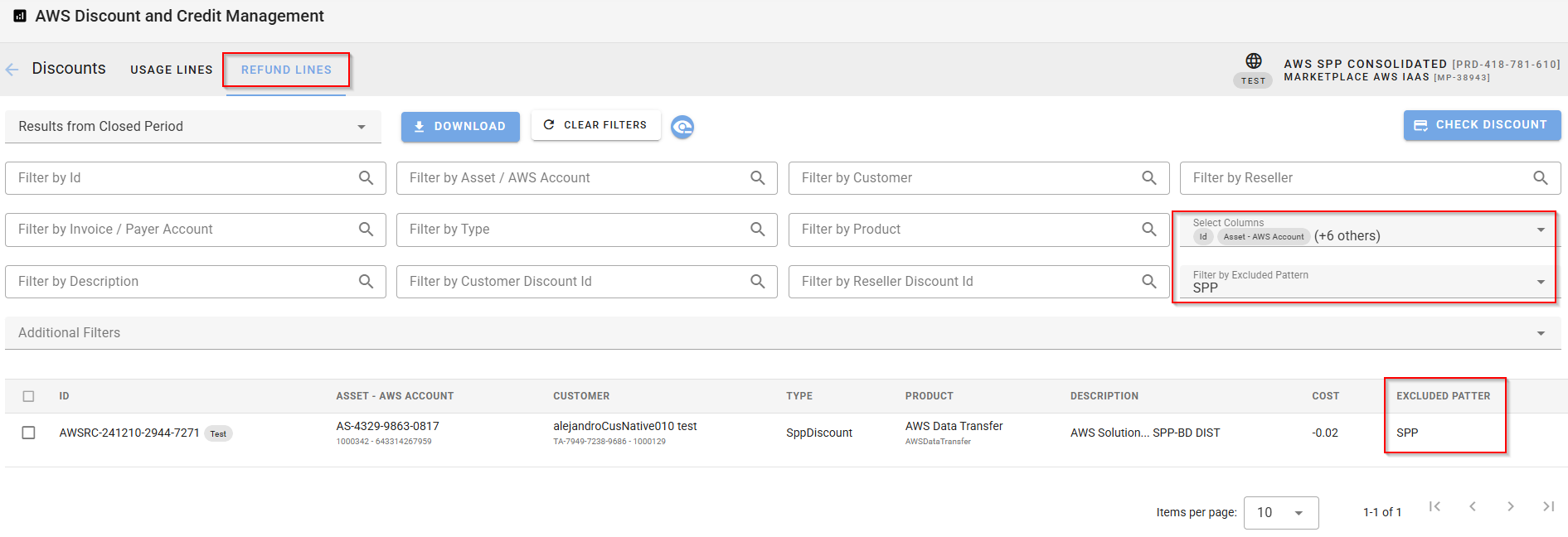
Go back to the Refund Viewer (Discounts > View Discount Advisor > Refund Lines).
-
Make sure that the Excluded Pattern column is selected in the Select Columns field.
-
The information in the Excluded Pattern column indicates whether a refund line is excluded from the customer's invoice.
-
If a discount type or pattern appears in this column for a particular refund line, the refund is excluded from the customer's invoice.
-
If the column is empty for a refund line, it means that the refund is not excluded.
-
To exclude those refund lines from the customer's invoice, update the regular expressions in the Config tab as explained in steps 1 and 2.
-
-
Optionally, use the Filter by Excluded Pattern field in the advanced search to narrow down the list by specific discount types or patterns.