Creating a Verification User to Validate the Domain Ownership
Use this process when a customer has an existing Azure NCE subscription in the Microsoft Partner Center that is not yet present in CloudBlue Commerce. In this case, it is necessary to validate the domain ownership by creating a verification user in the Microsoft Partner Center.
Prerequisites
Before beginning, ensure the following Granular Delegated Admin Privileges (GDAP) are active:
-
User Administrator: Required to create the verification user.
-
AdminAgents Security Group: Must be assigned the Application Administrator and Cloud Application Administrator roles to allow application consent.
For additional information about GDAP, see the Microsoft Management Extension documentation.
Validation Steps
-
Retrieve ID: Copy the unique username provided in the error message under the Did you create the requested user? field in the order wizard.

-
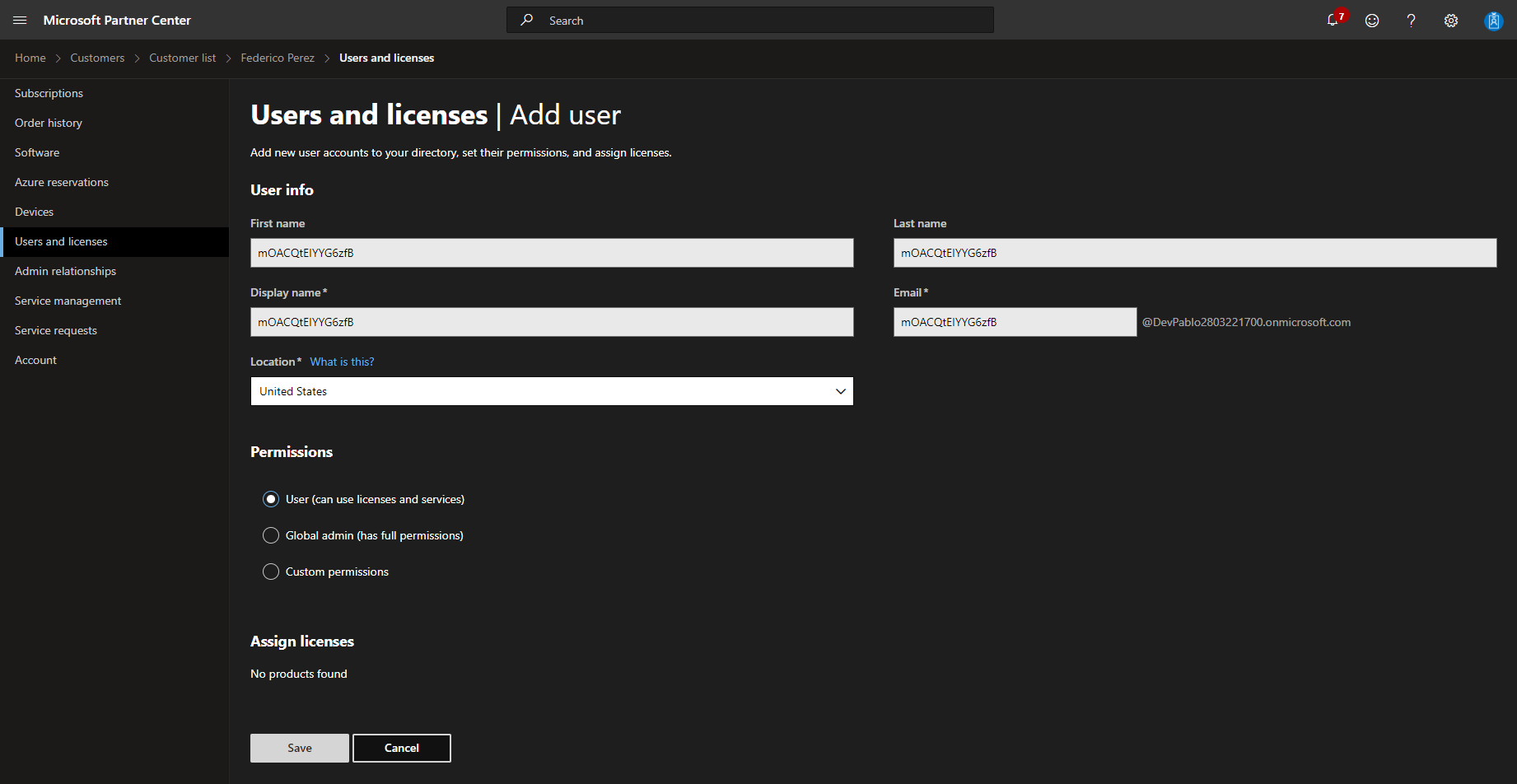
Create User: In the Microsoft Partner Center, click Add User.

-
Input Details: Paste the copied ID into the First Name, Last Name, Display Name, and Email fields.
-
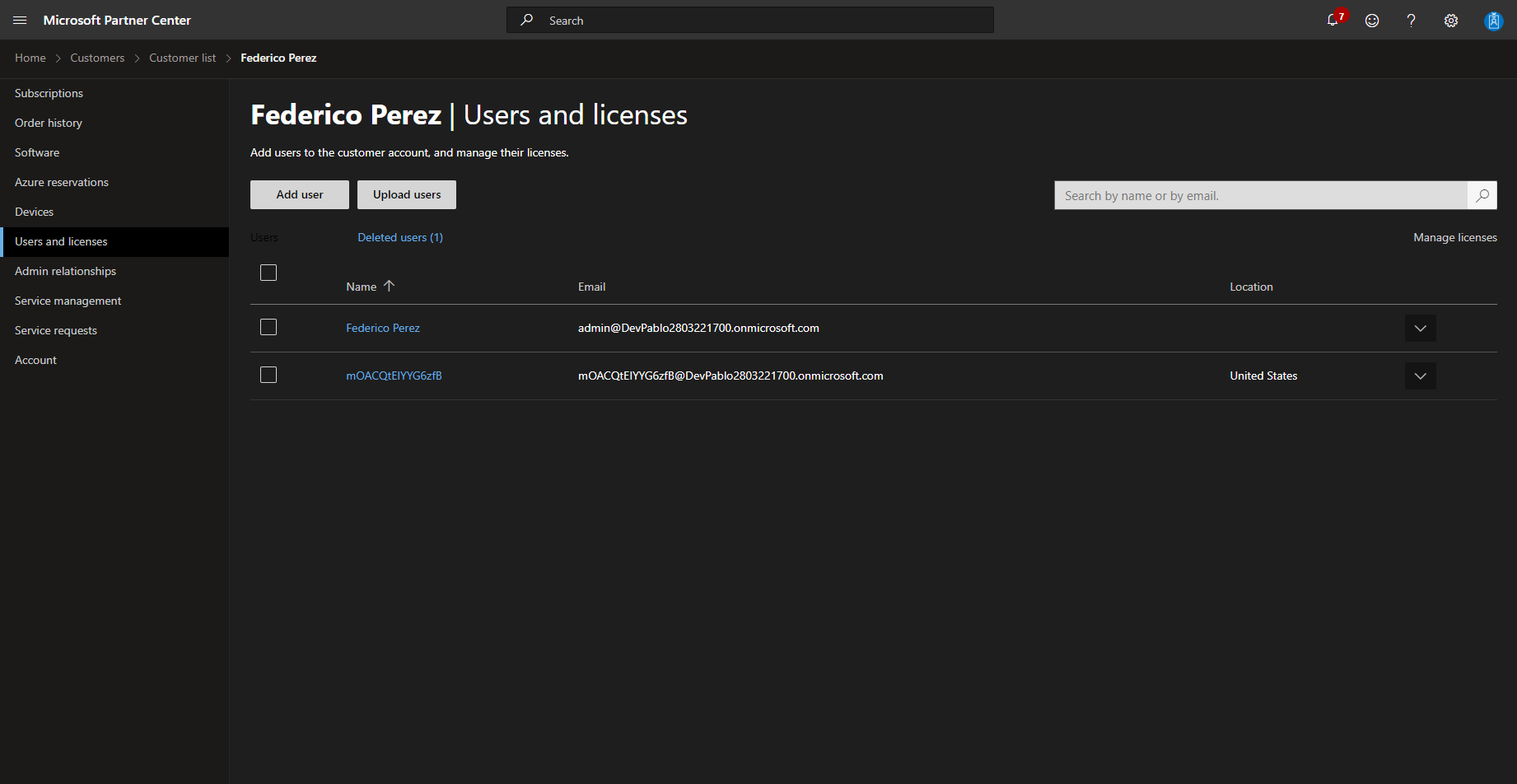
The new user will appear in the list.
-
Confirm: Return to the CloudBlue order wizard and set the Did you create the required user? field to Yes.

-
Complete Order: Review the order details and click Place Order once the domain ownership is successfully validated.