Editing the Reseller Default Margin
You can edit the reseller default margin for the different products if necessary. To do this, complete the following steps:
-
Go to the Settings module in the CloudBlue Connect Distributor portal and look for the Adobe Management extension in the left menu, under Extensions.
Note: If the Adobe Management Settings extension is not installed yet, refer to the Installing the Adobe Management extension section.
-
Click Adobe Management extension and then click the Price List tile.
-
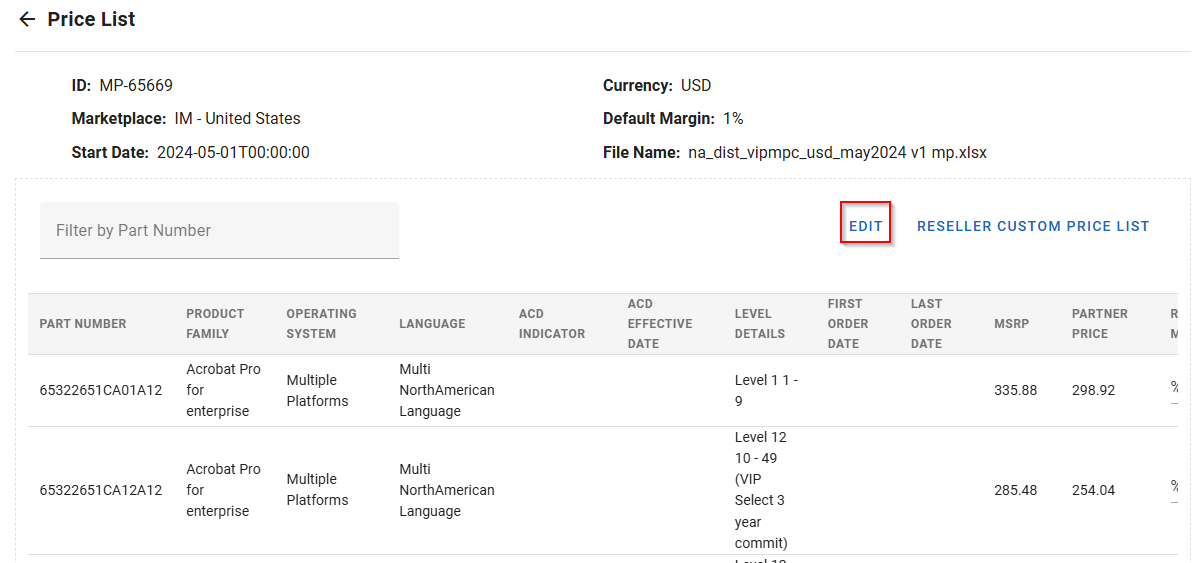
Click on one of the price lists that you uploaded previously and then click Edit.
-
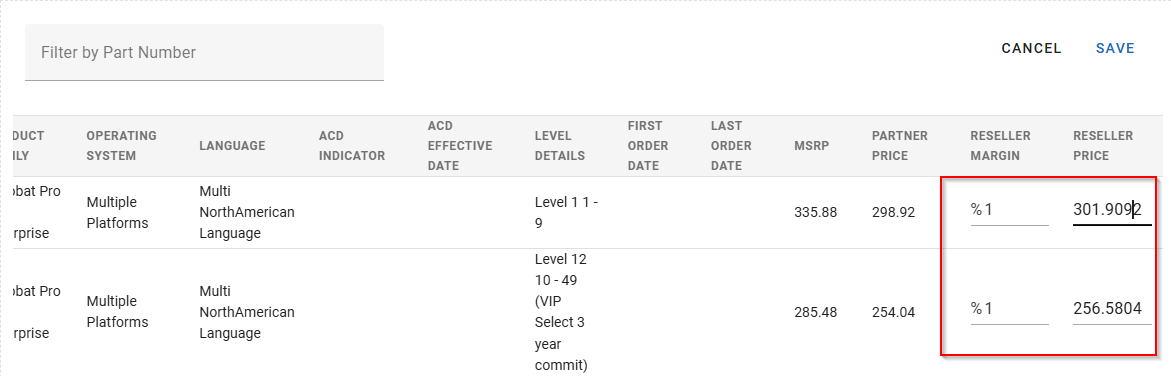
Edit the default reseller margin which will appear in the Reseller Margin column on the far right and click Save.
-
Finally, click Confirm. When doing this, the MSRP for the product will be updated accordingly for all the resellers.