Placing an Order for Adobe Licenses with a 3-year Commitment (New Custom UI)
Important: Once the order is placed for an Adobe subscription with a 3-year commitment, your organization will receive an email (at the email address or addresses specified by your organization) with an invitation to accept the 3-year commitment agreement on the Adobe portal. The 3-year commitment agreement must be accepted in the Adobe portal for the purchase request to be processed and approved by the CloudBlue platform.
In this section you will find a step-by-step walk-through of the process to place an order to purchase Adobe with a 3-year commitment.
Locate the Product
-
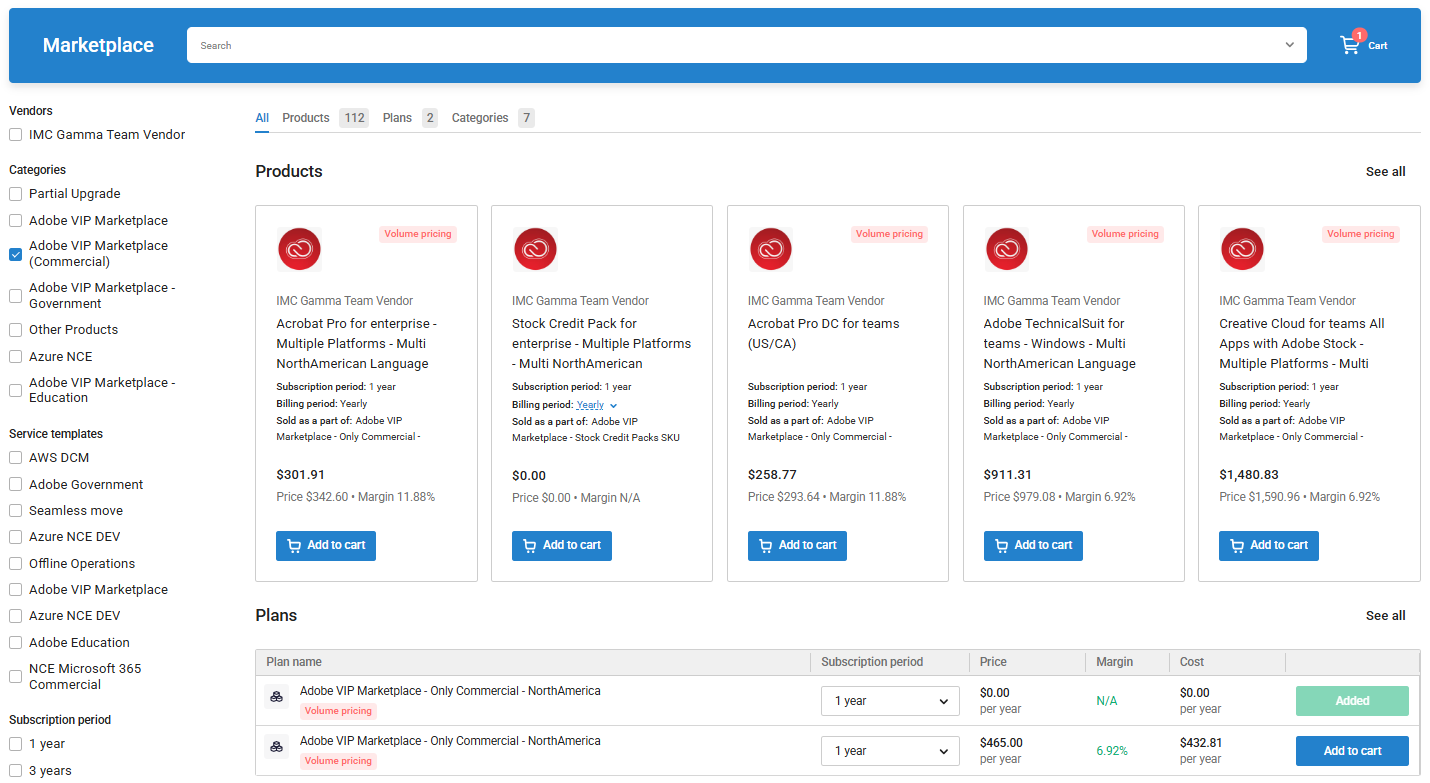
Log in to the UX1 control panel, click the Marketplace option in the left menu, and type Adobe VIP Marketplace in the search box. Select the plan and click Add to Cart. Then, click the cart icon at the top of the page.
Important: Adding products from multiple services to the shopping cart is not supported.
Configure your Cart
-
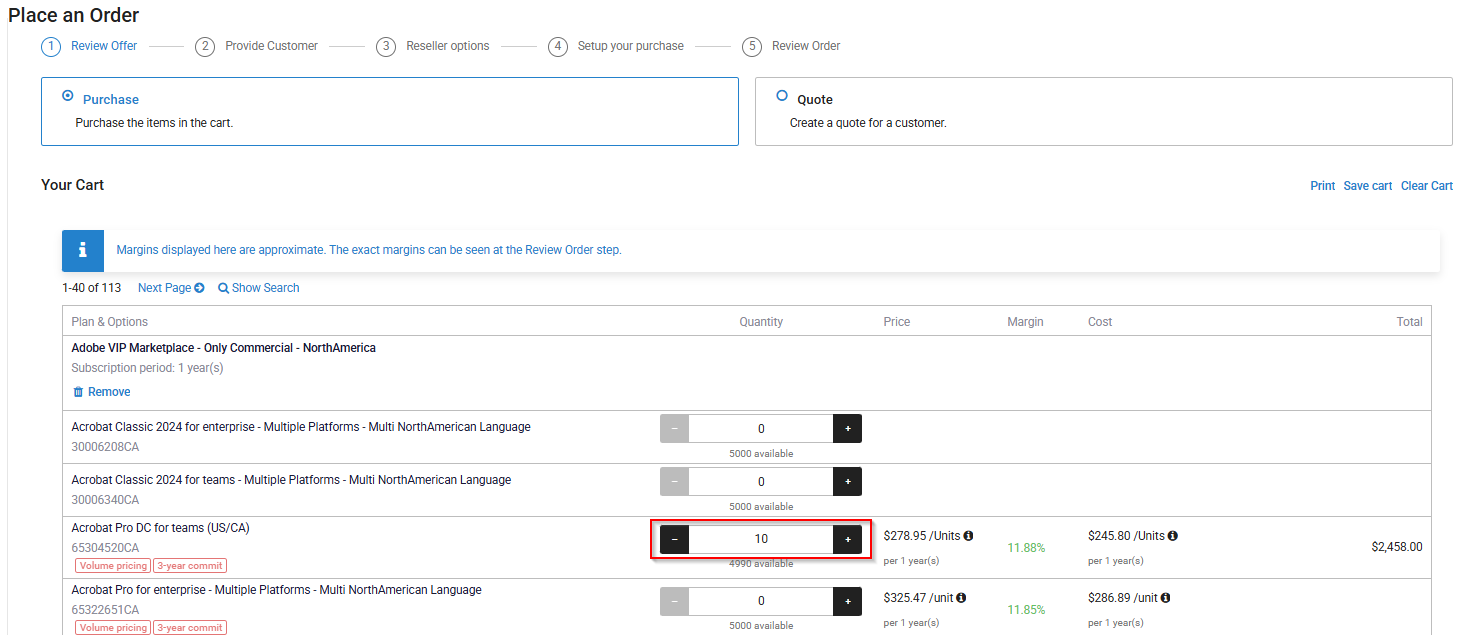
Select the products and licenses that you wish to purchase. Click Next.
Important:To qualify for a three-year commitment (3YC), a minimum of 10 licenses is required. This requirement can be met with 10 units of a single product or a combination of different products.
Customer Selection and Reseller Details
-
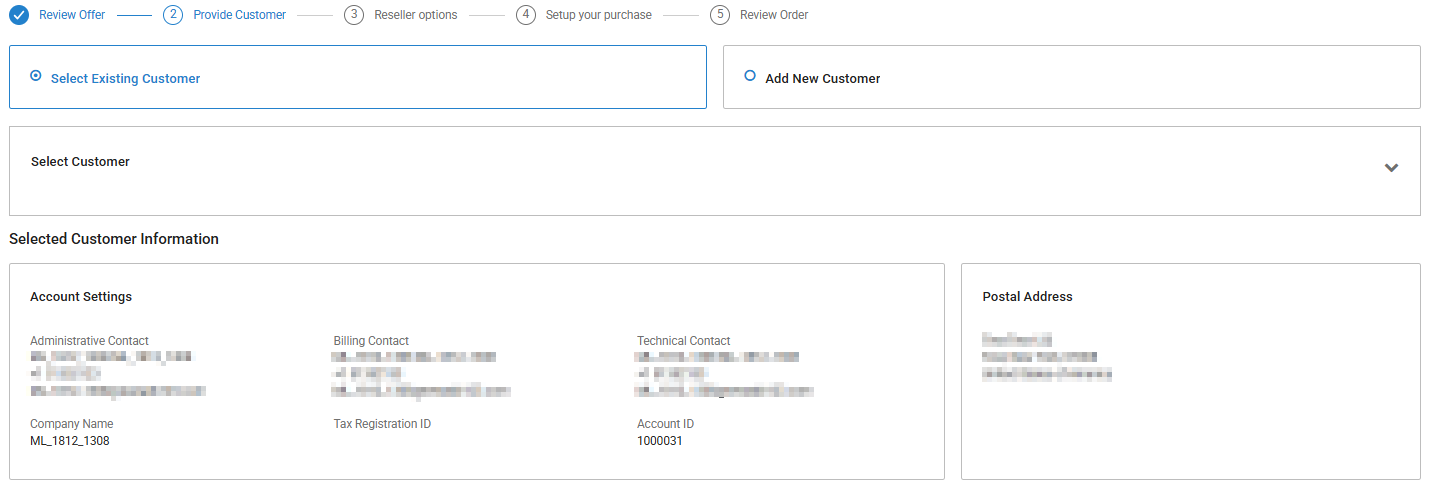
You can select an existing customer or create a new customer. In this example, we will place the order for an existing customer.
-
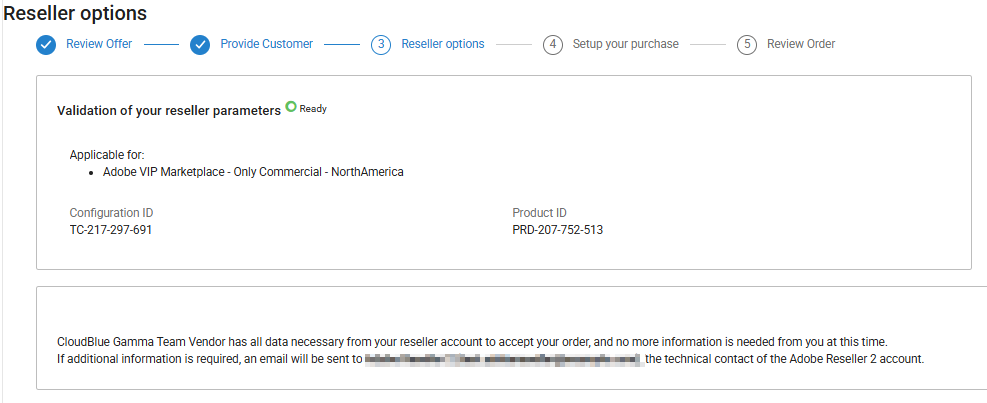
Review your reseller parameters. If this is not your first time placing an order for Adobe, click Next to continue. If additional information is required from you, an email will be sent to the technical contact of your account.
Admin and Offer Details
-
Enter the specific administrative and promotional details for the order:
-
Administrator email: Enter the email for the person managing the Adobe Admin Console.
Note: This email must be unique and cannot be a primary admin with existing Adobe licensing. If you already have an Adobe account, you must use the same email account you used in your previous orders. In this case, the new subscription will be attached to your existing Adobe account.
-
Adobe Promos and Discounts:
-
Promos/Intro Offers: These offers do not contribute toward the Adobe 3YC minimum commitment. To qualify, the 10-license minimum must be met using standard-priced licenses only. When calculating eligibility, please exclude all promotional units and leave the Promos/Intro Offers field blank.
-
Discount Code: Optionally enter a code if available.
-
-
3-year Commitment: Select the Apply for 3 Years Commit checkbox and enter the minimum committed licenses.
Important: If purchasing Adobe Acrobat Sign under a three-year commitment, a minimum of 1,000 consumables must be specified. If your Acrobat Sign purchase is not part of a 3YC, enter a 0 in the Three-year minimum consumables field.
-
Customer PO: Optionally provide a PO number reference from the end-customer.
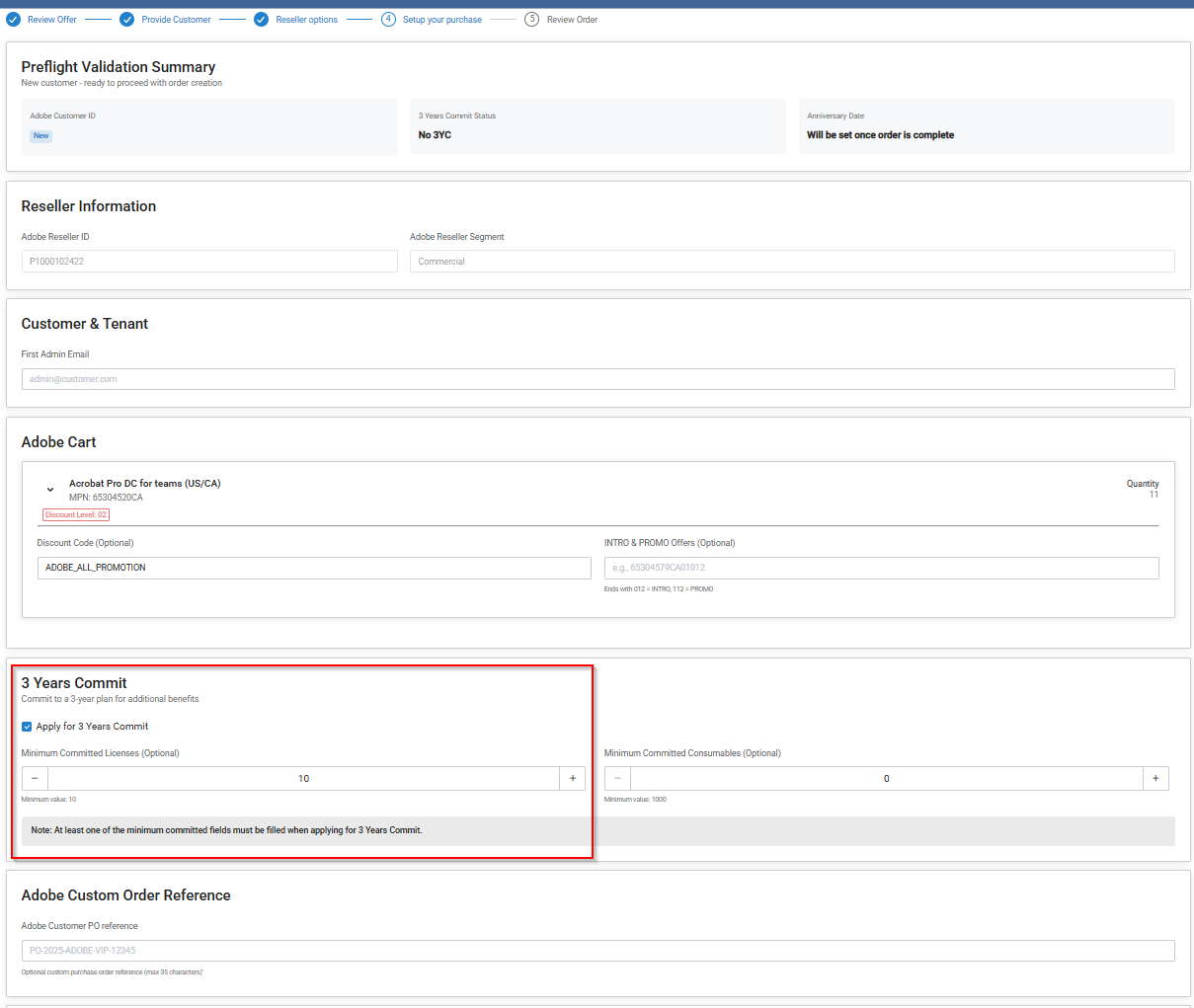
-
-
Review the order details and click Buy to place the order.
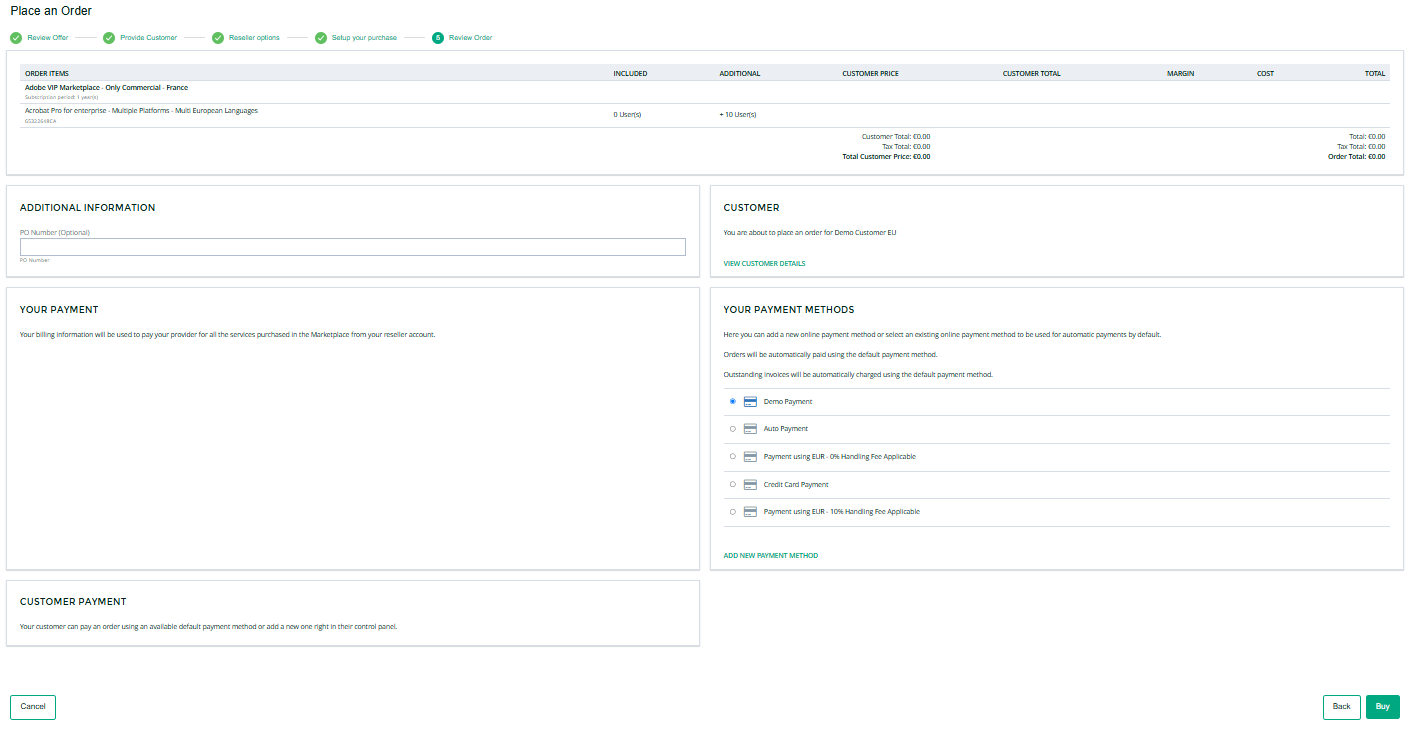
Note: To obtain additional information about Adobe 3-year commit, see the following section: Adobe 3-year commit.
Related Topics