Refund Viewer
The refund viewer allows you to verify if the actual refunds obtained from AWS CUR have been excluded from the customer invoice calculation. Additionally, it also allows you to check if a discount rule is associated with the same AWS account ID and service.
How to use the refund viewer
-
Follow the steps in this section to access the AWS Discount Advisor.
-
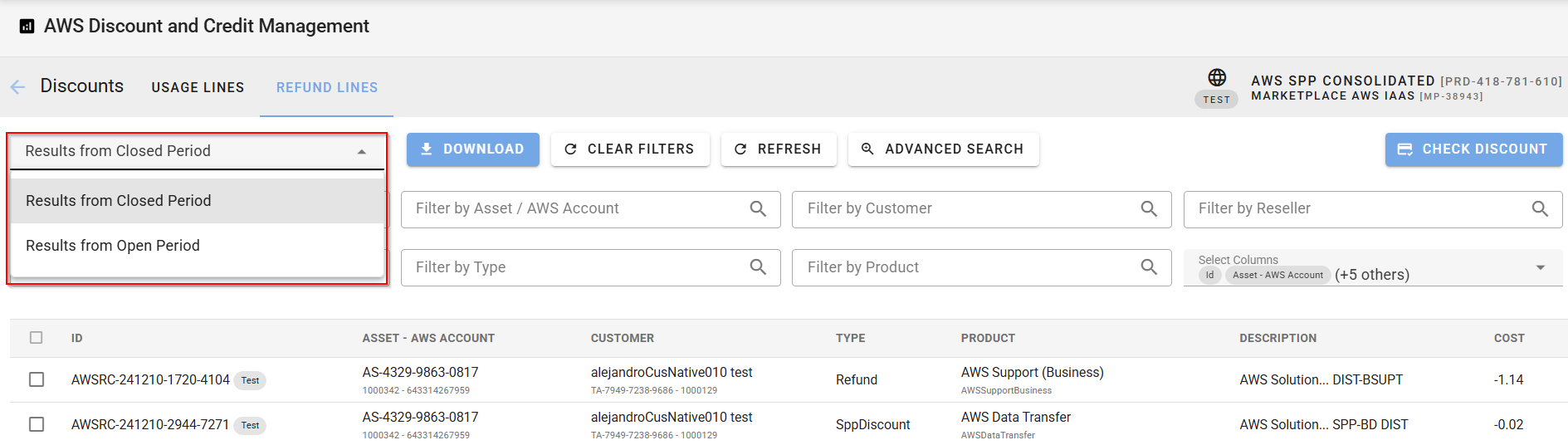
Navigate to the Refund Lines tab to see all the refund entries retrieved from AWS CUR. You can filter the list to show only refunds from either the closed or open billing periods.
-
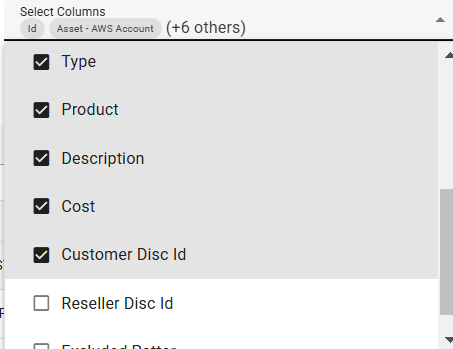
To view additional details—such as customer and reseller discount IDs—use the Select Columns field to add more columns to the grid.
-
Use the search fields at the top of the grid to filter refunds by criteria such as:
-
Refund description
-
Refund type
-
AWS Account ID
-
Reseller
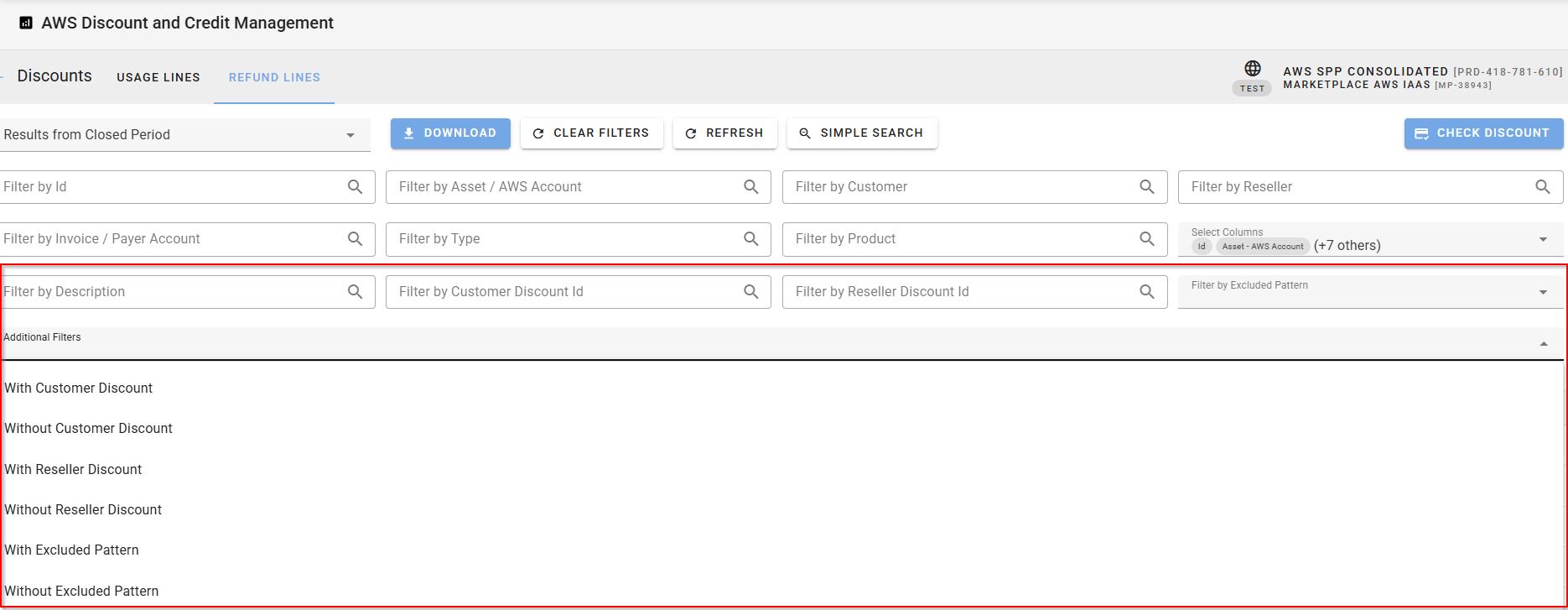
Click Advanced Search to access more filters, including:
-
Customer discount ID
-
Reseller discount ID
-
Excluded discount patterns
-
-
You can further refine the list to show only:
-
Refund lines with or without customer or reseller discounts.
-
Refund lines with or without excluded discount pattern.
-
-
To export the displayed refund lines, click the Download button to generate a .csv file.
Related Topics